
The Challenge
What is Medeligo?
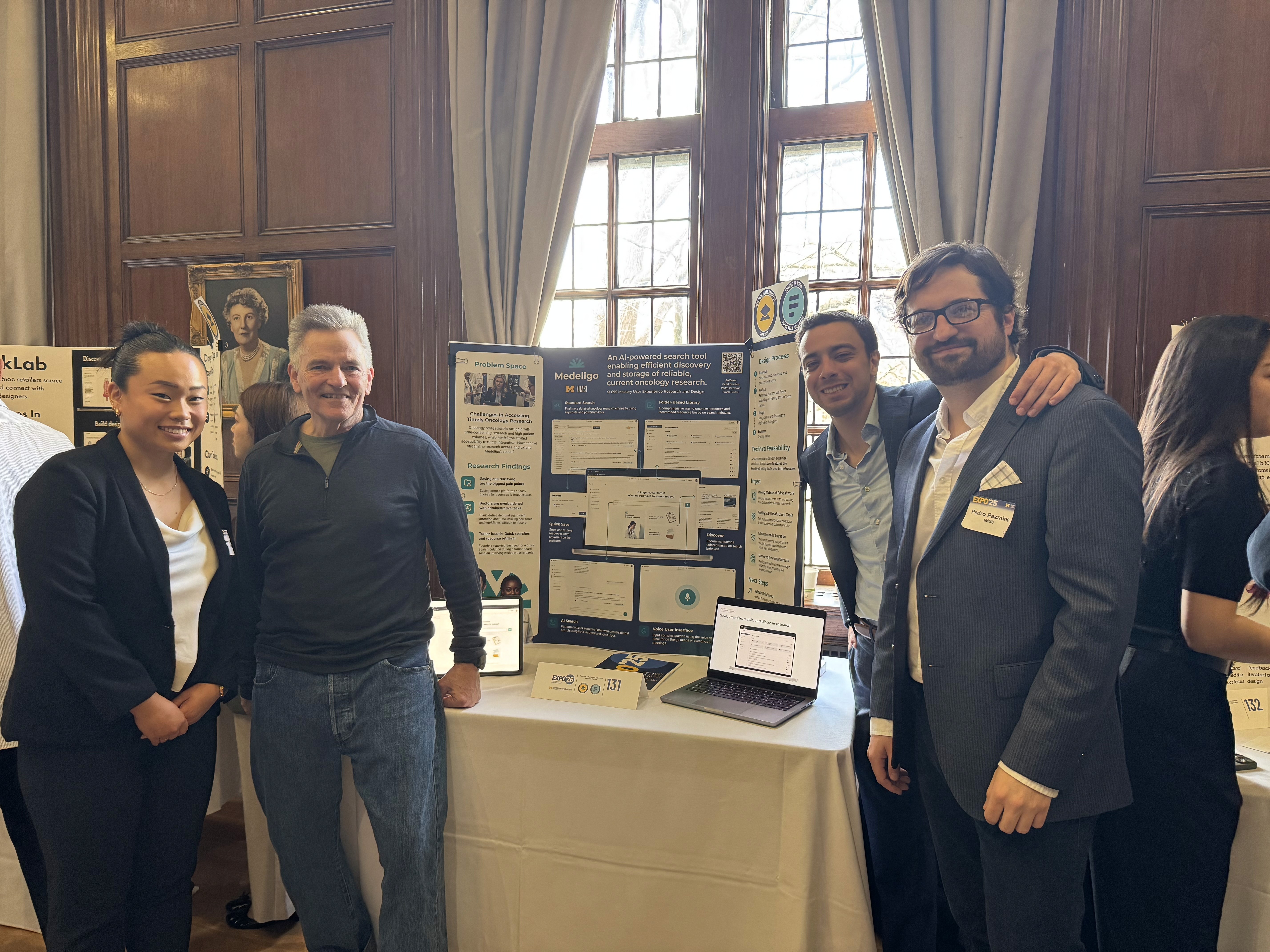
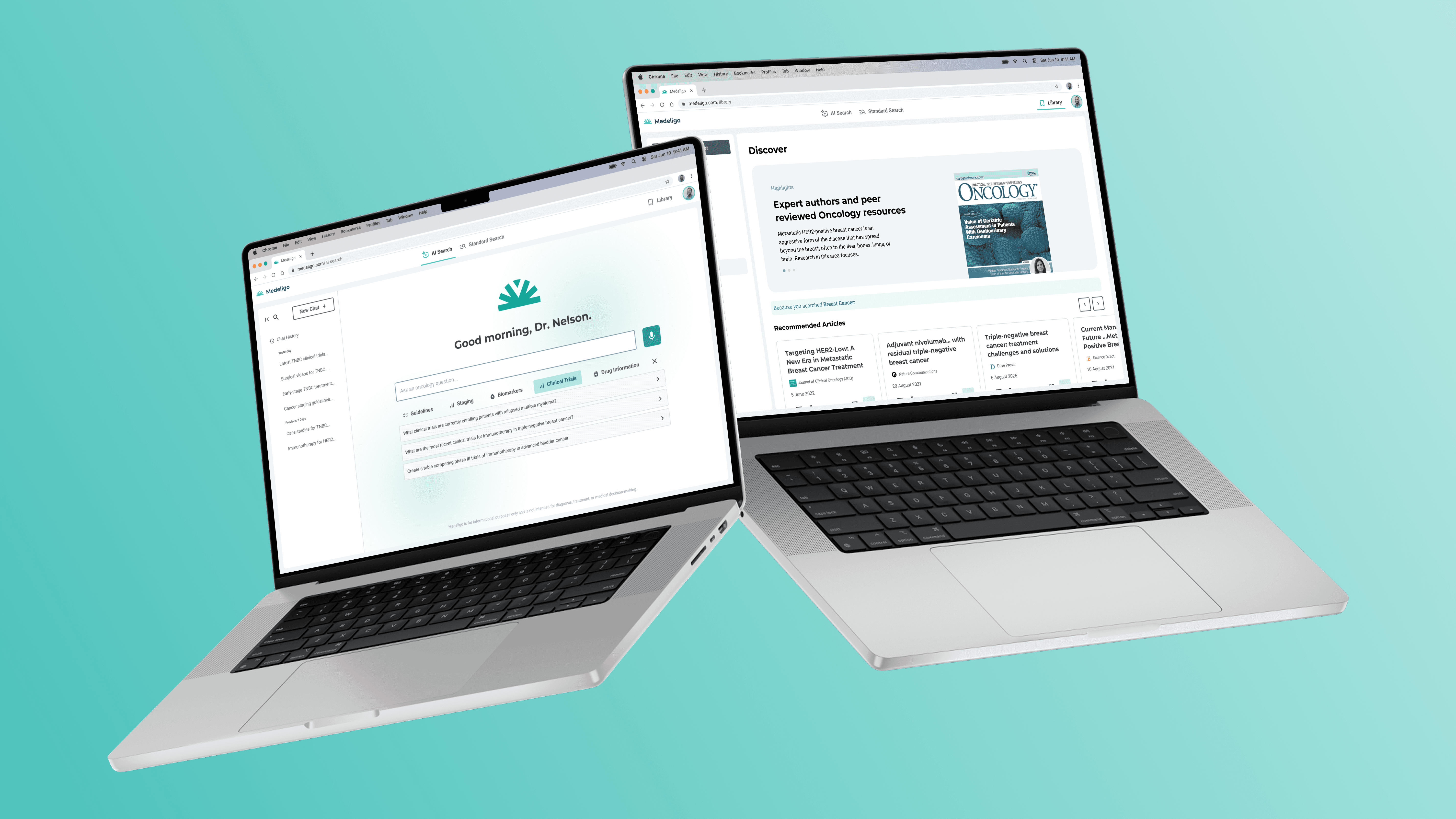
Medeligo is a small, physician-founded company offering an AI-powered oncology search platform. It helps clinicians quickly find trusted, up-to-date research across over 2,000 tumor types, streamlining access to primary sources to support informed cancer care.
Enabling oncologists to access trusted information efficiently during care.
Oncologists often struggle to access timely, trusted information during patient care due to fragmented workflows and limited search tools. The goal was to redesign Medeligo’s iOS app into a web-based platform that integrates seamlessly into systems like Epic, improves usability, and leverages AI-powered resources such as Semantic Scholar to support real-time oncology decision-making.
Problem
Oncologists struggle to access and use research efficiently, while Medeligo’s iOS-only app limits its reach and impact.
While Medeligo offers access to trusted oncology research, the search process is time-consuming and does not adapt to the unique needs of oncologists based on their specialties. This creates key challenges for both users and the platform.

Research Between Patients – Clinicians have just a few minutes to find answers between patients.

Preparing for Tumor Board – Doctors spend time collecting and organizing scattered research.

Medeligo Mobile App – The mobile format makes it hard to use in clinical or groups settings.
Competitor Analysis
Uncovering a value gap through market research.
While Medeligo’s competitors offer quality research and some AI capabilities, they lack oncology-specific focus, EMR integration, and flexible search experiences.
Competitor Platforms



Strengths
Peer reviewed content
AI-powered search (some)
Comprehensive filtering (some)
Weaknesses
Not oncology or specialty specific
Limited document saving
Time consuming search
Current Mobile App
"I only only have 5 to 10 minutes between patients. That's when I'm trying to squeeze in a quick search."
"I prefer summaries over full studies. I just don't have the time to read through lengthy articles."
"I've got a single, unorganized folder where all my downloaded articles go. It's a mess, but I just don't have the time to sort through it all."

Limited Time for Research
Clinicians try to balance patient care, research, and preparation within limited time.
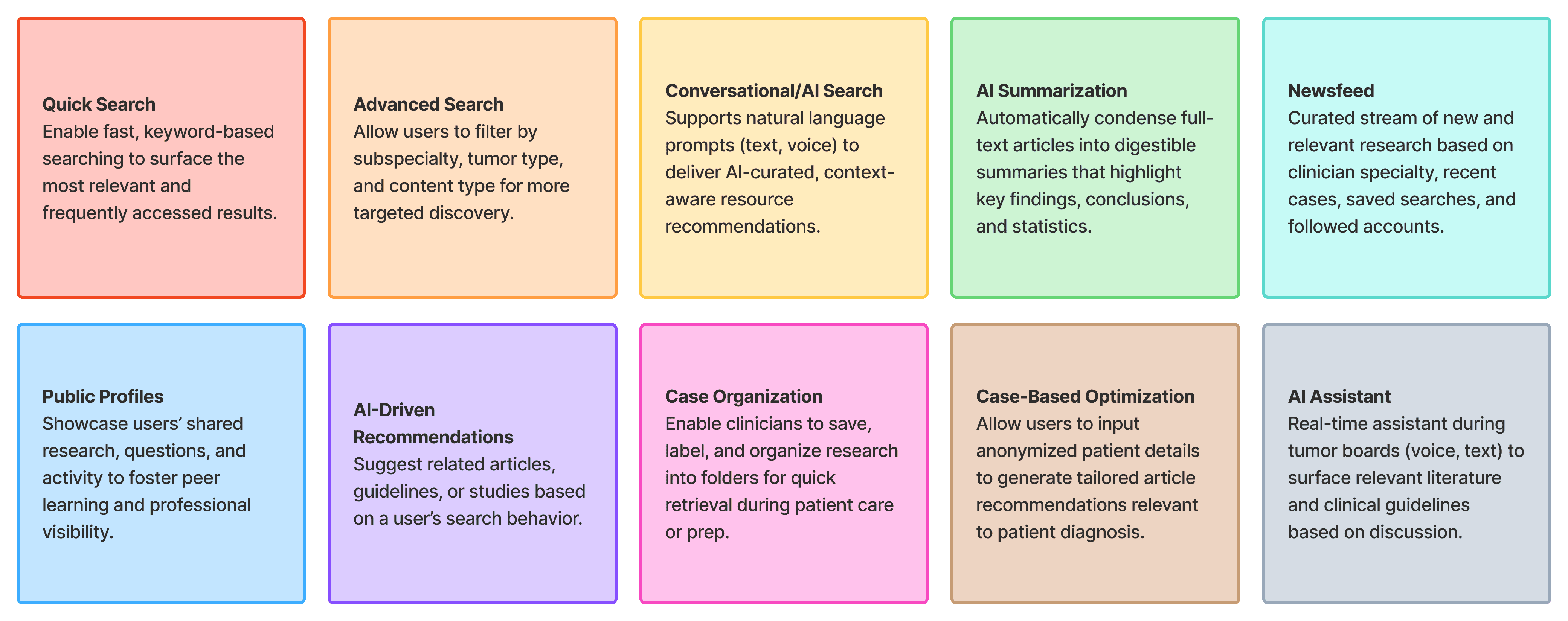
Time-Saving Search Tools
Deliver concise, high-relevance content summaries that fit within clinical time constraints.
Need for Trusted Information
Credibility of information and verified sources used for diagnosis and learning is essential.
Credibility Markers
Surface clear indicators of trustworthiness like journal type, study size, and peer-review status.
Distinct Use Cases
Clinicians use research tools differently for tumor boards (in-depth prep) vs. during patient care (quick answers).
Dual-Mode Experience
Design separate workflows for in-depth prep (e.g., tumor boards) and quick patient-facing lookups.
Varied Attitudes Toward AI in Search
Clinicians differ in their openness to AI in search. Some embrace it for speed, others are skeptical.
Adjustable AI Support
Offer AI search features with adjustable levels of automation to accommodate different comfort levels.
Disorganized Article Storage
Saved resources are scattered across folders, devices, and formats, making them hard to organize and retrieve efficiently.
Smart Resource Organizer
Create a centralized, searchable space for storing, organizing, and retrieving oncology resource materials.
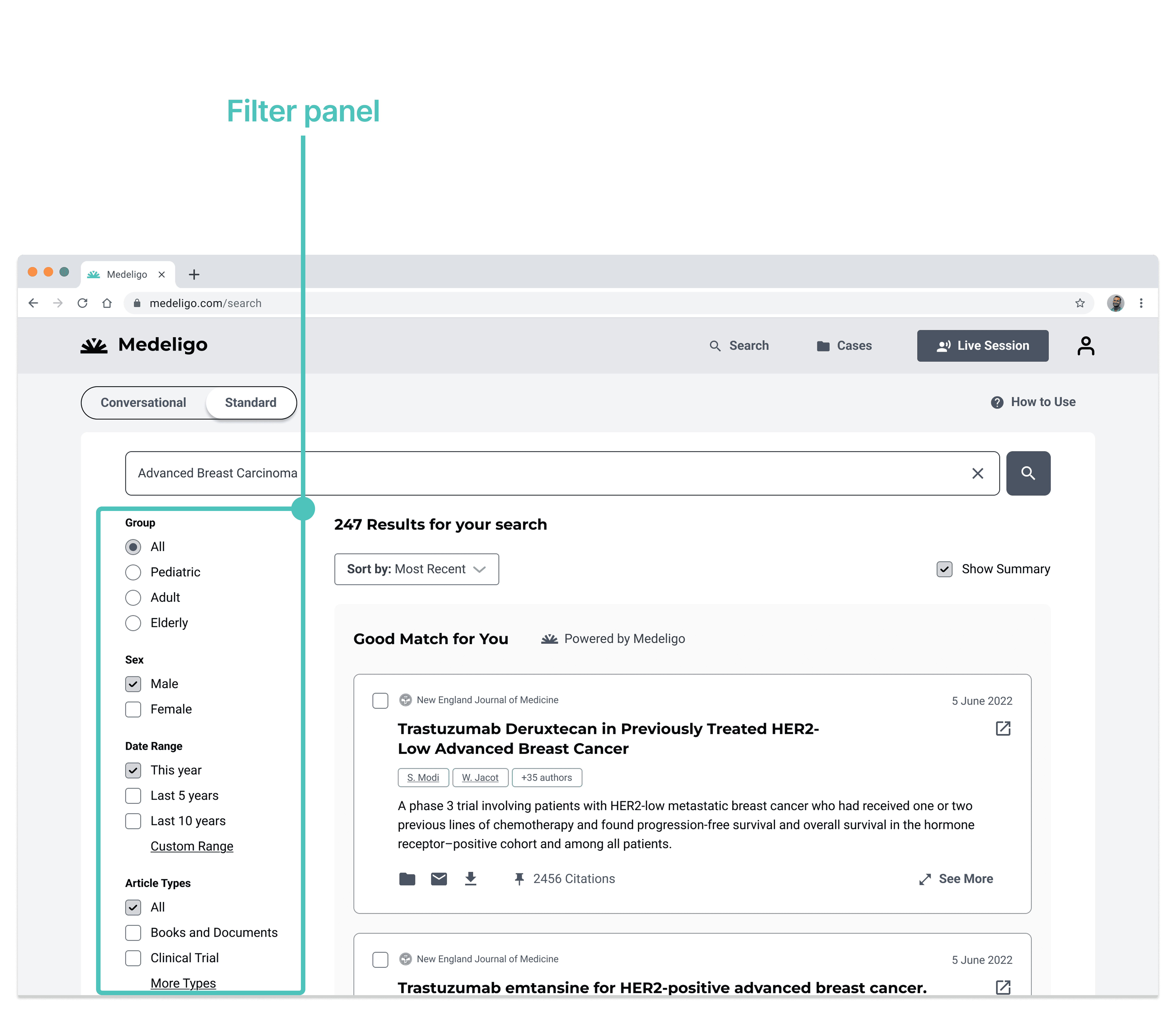
V1. Overloaded Filter Panel
All filter options visible upfront
Long, scroll-heavy layout
Limited categorization
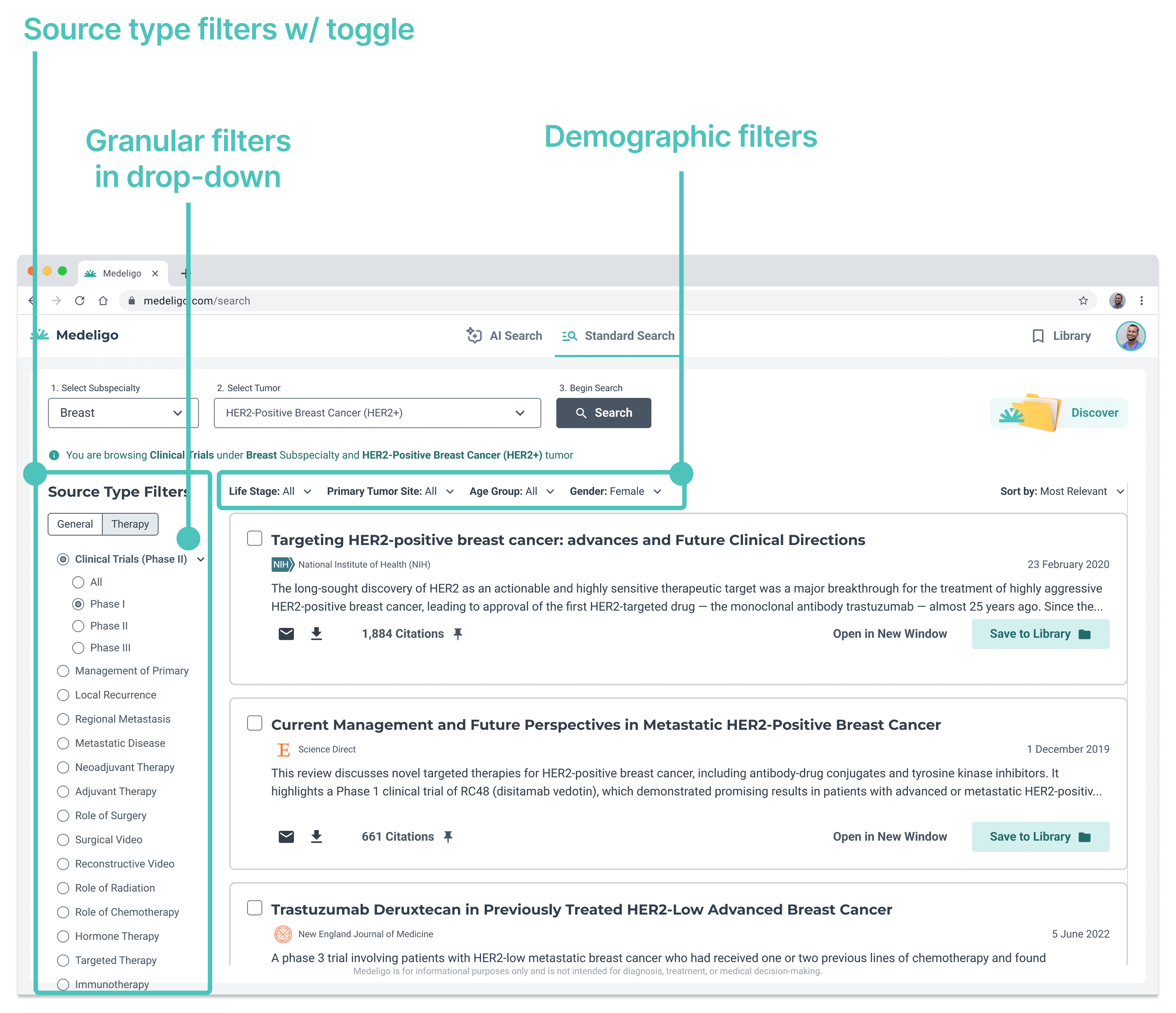
V2. Hierarchically Structured Filters
Filters grouped by type and use case
Higher-level categories reduce cognitive load
More clicks to view all filters
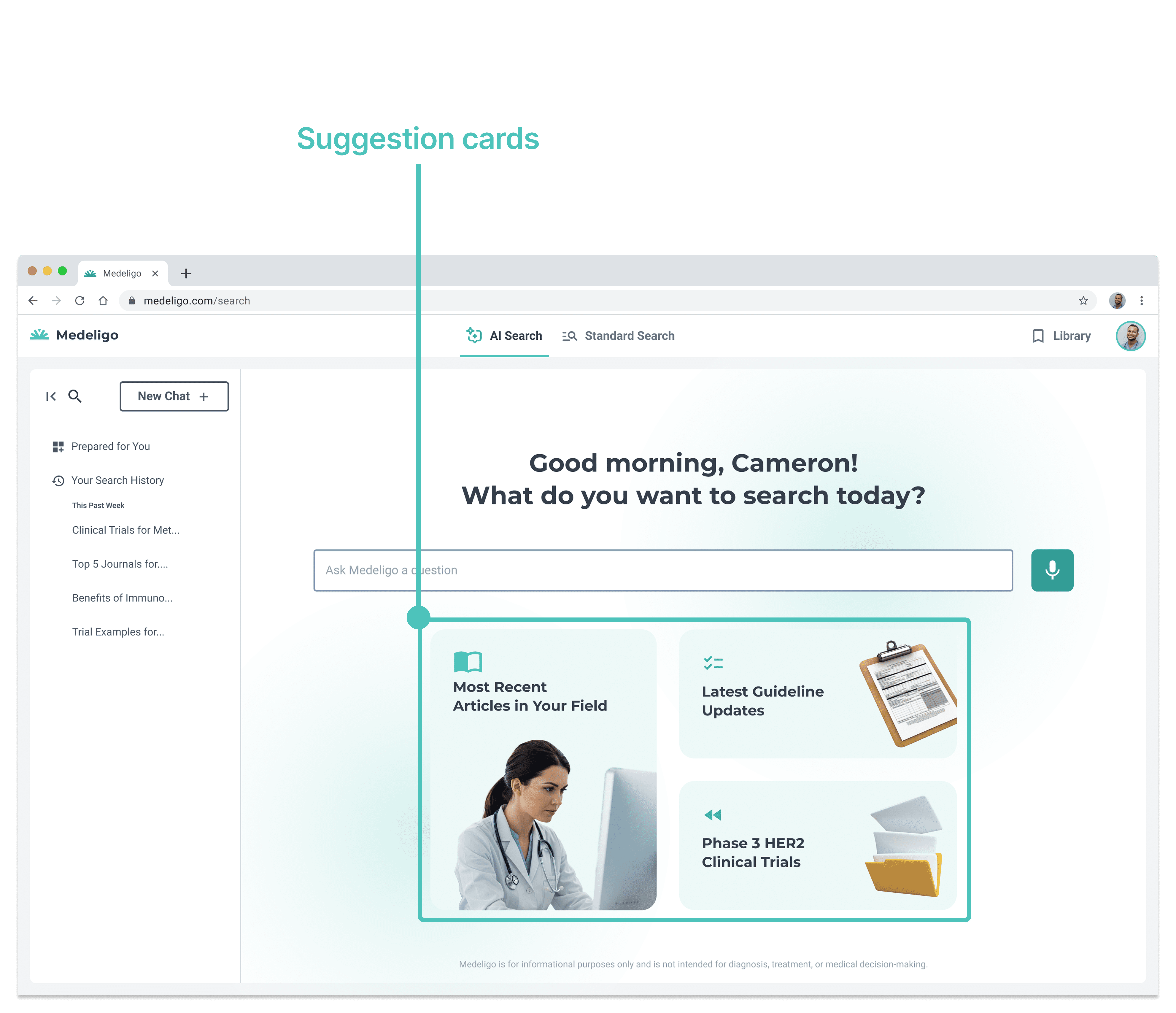
V1. Suggestion Cards
Images break up text heavy content
Suggestion cards confused users
Unsure where to start
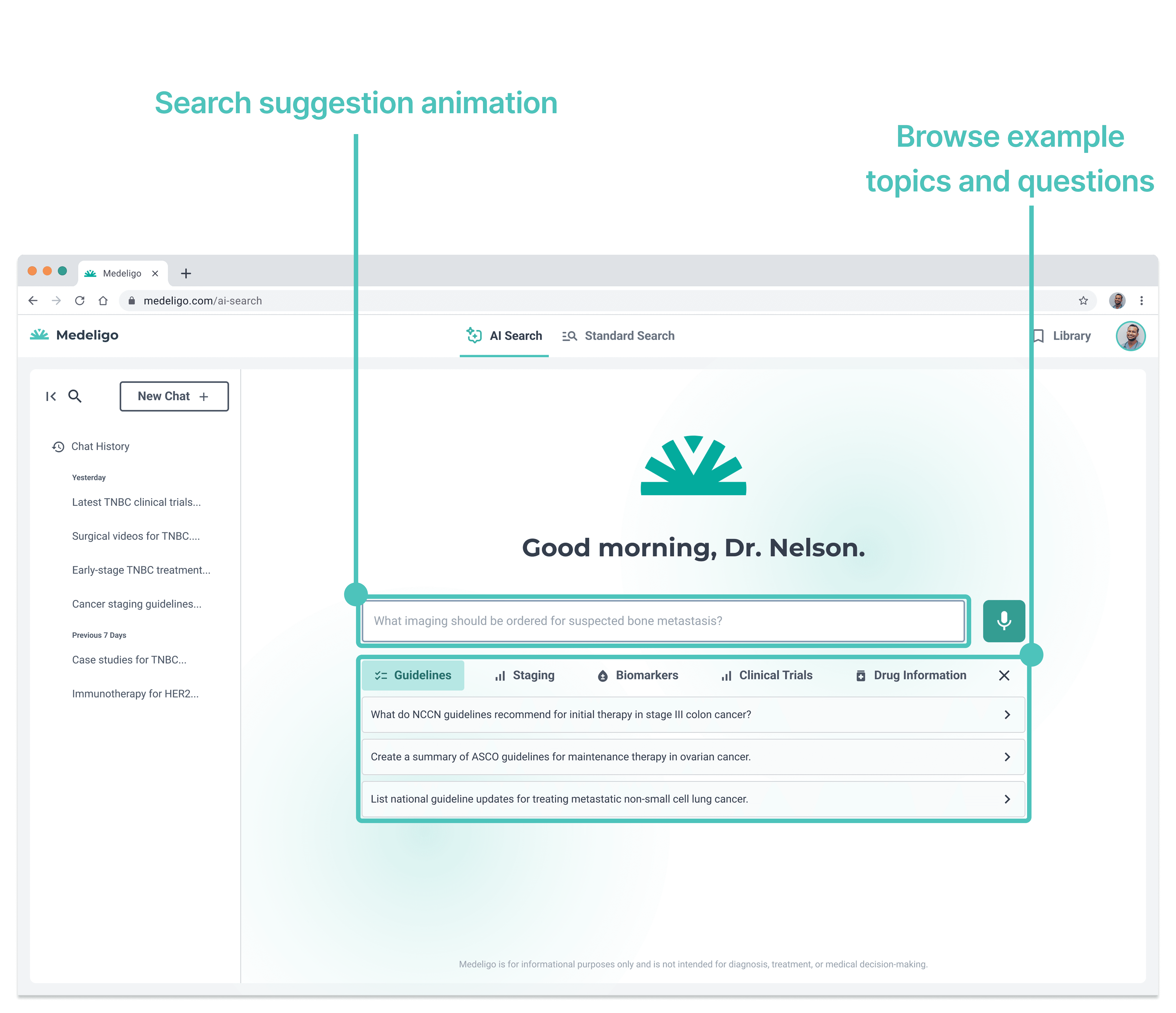
V2. Suggested Topics and Questions
Search bar animation cycles through example questions
Interactive topics give users an idea of platform capabilities
Added text takes longer to browse
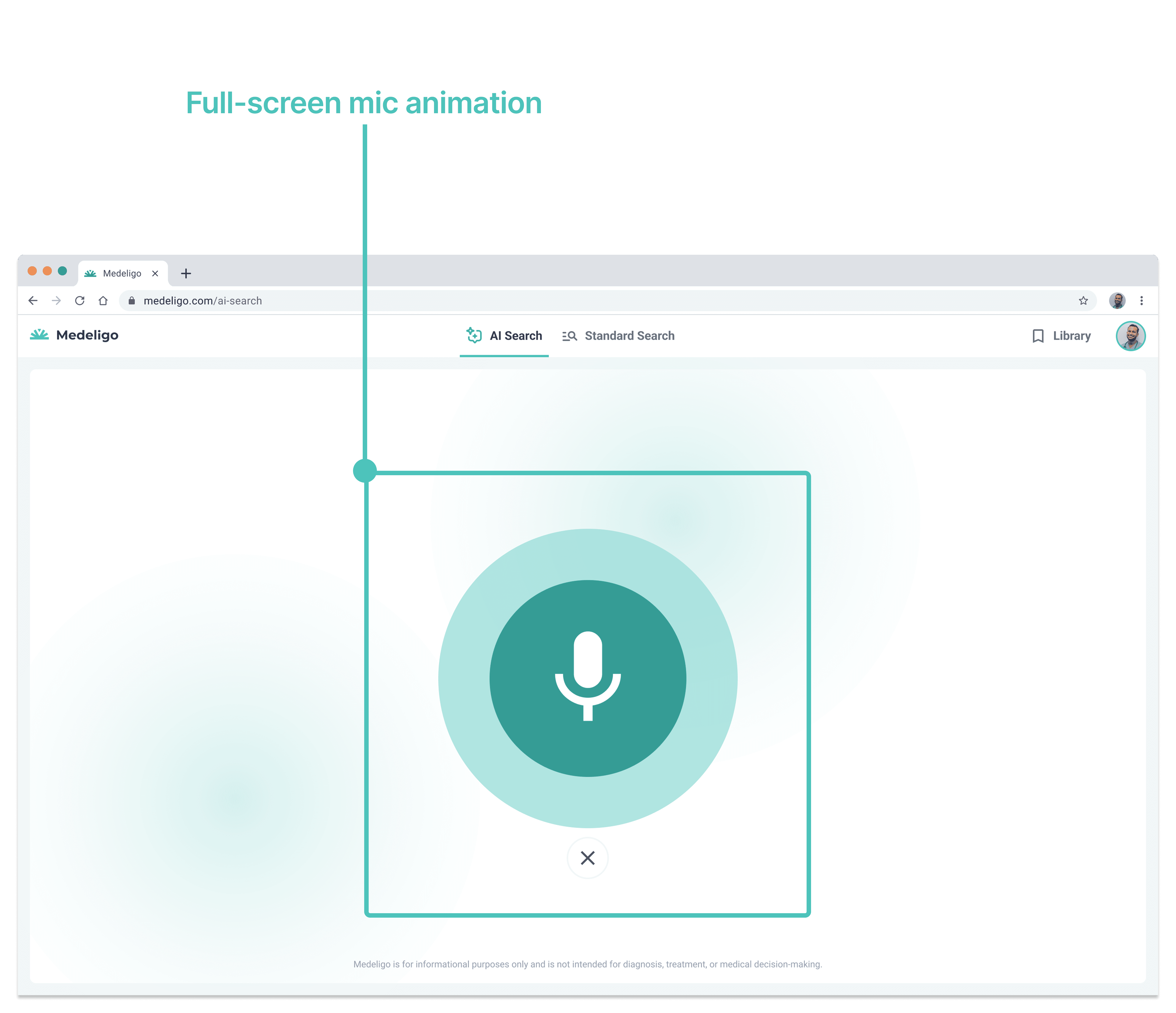
V1. Full-Screen Mic
Enaging mic animation
Full-screen mic is disorienting
No ability to edit query before searching
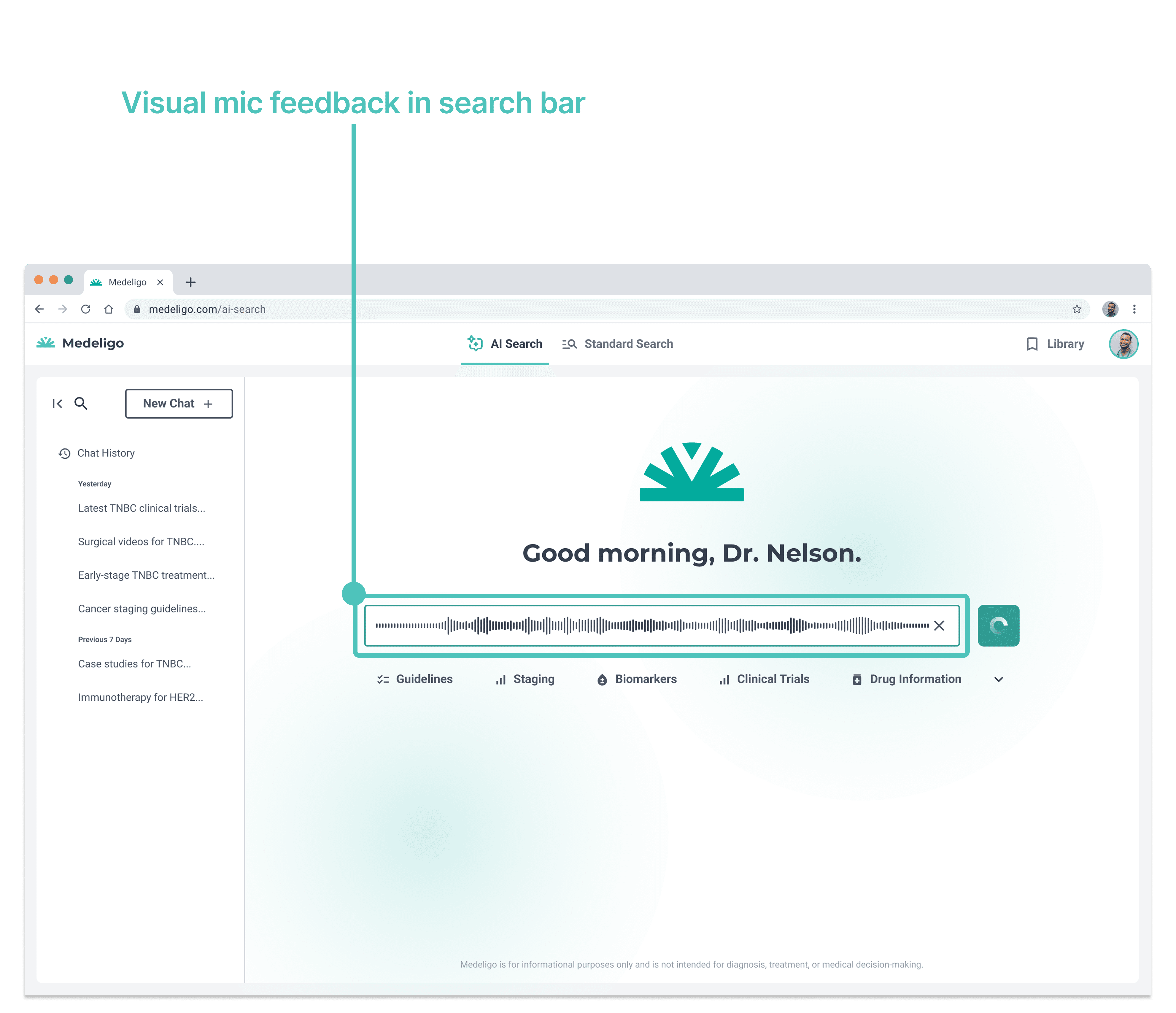
V2. Voice-to-Text
Feature contained on existing homepage
Visual mic feedback in search bar
Allows for editing text before searching
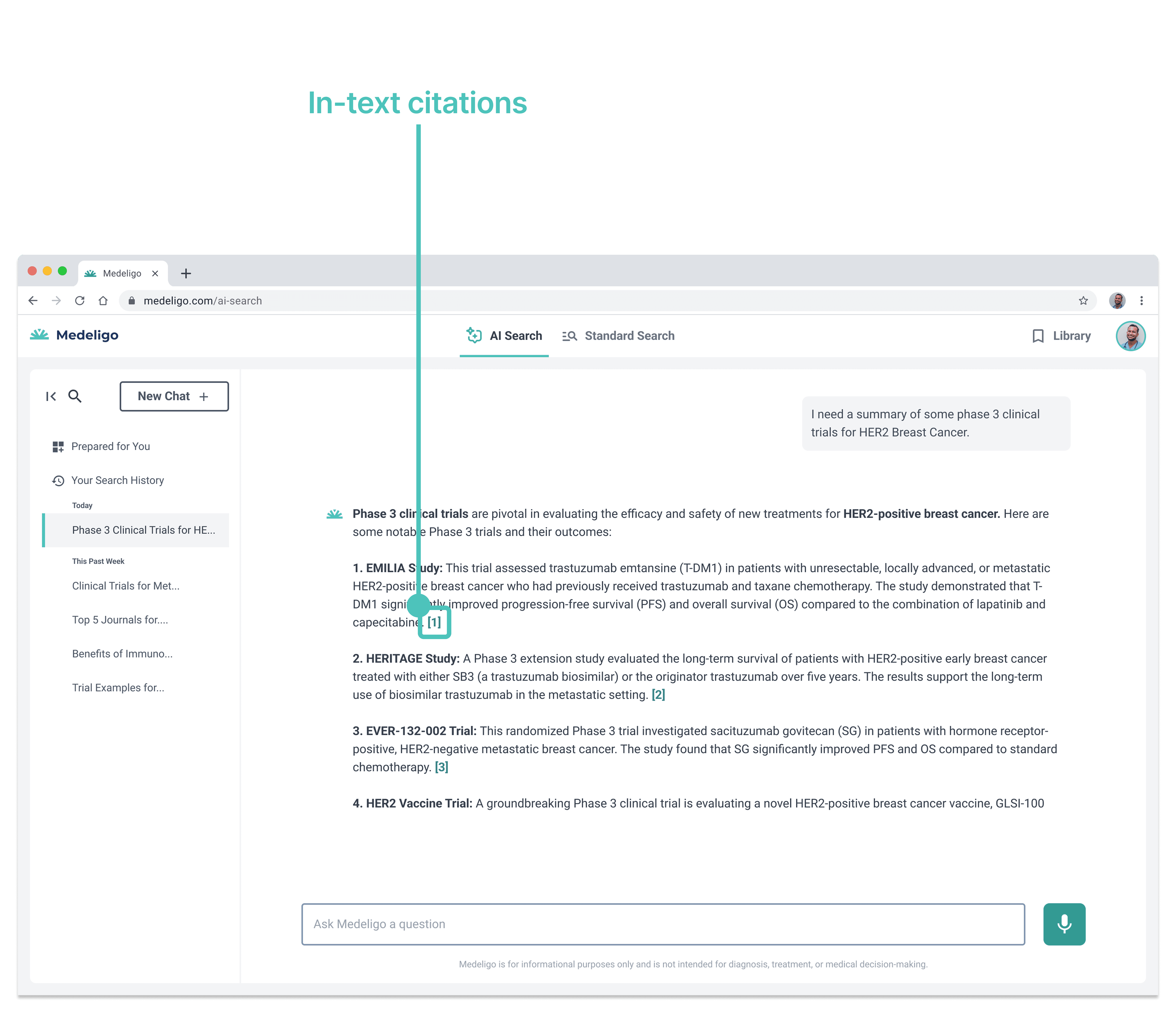
V1. Linked In-Text Sources
Linked in-text citations
Citation links are small and easily missed
Must reference sources list for more details
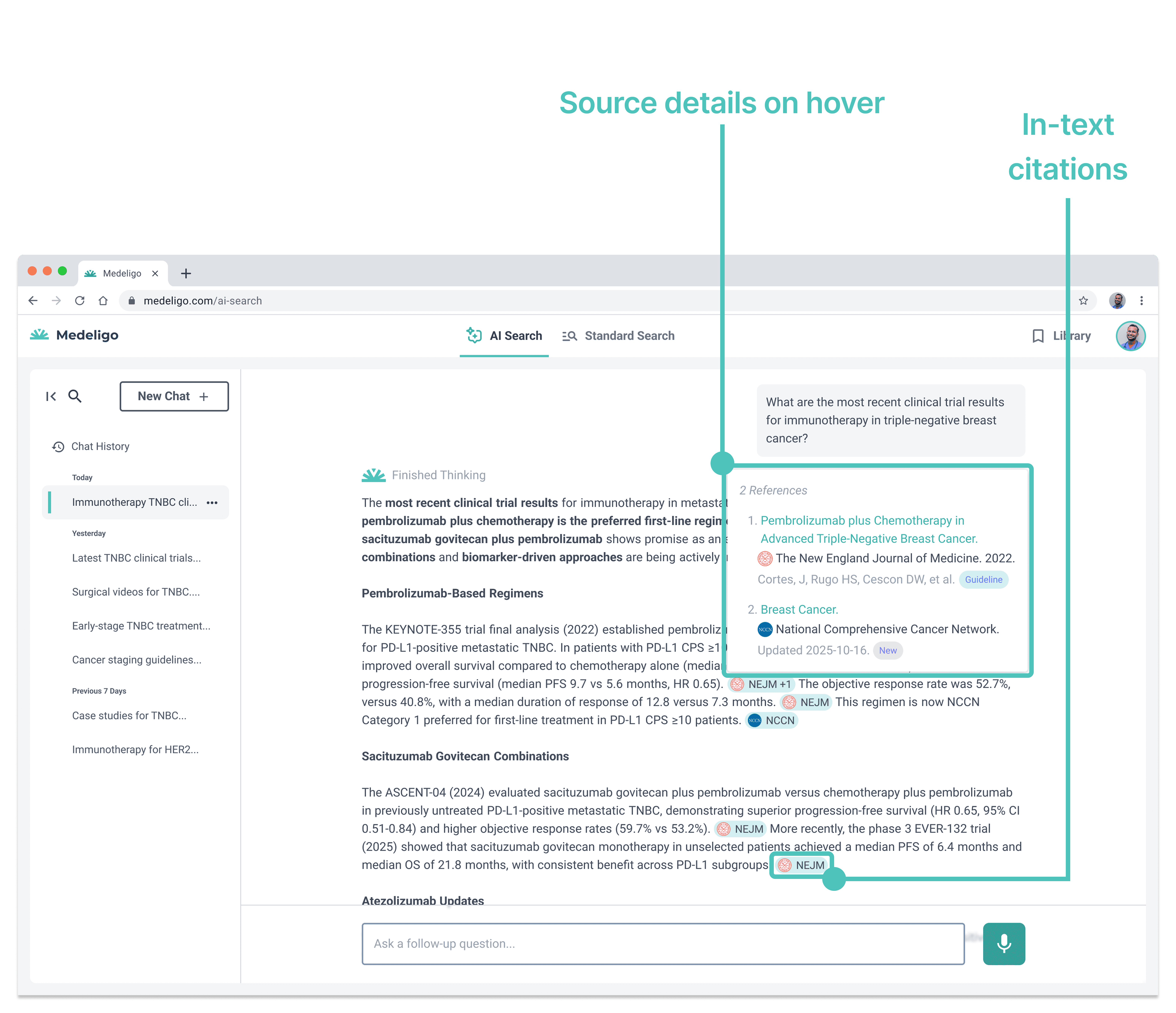
V2. Salient and Hoverable References
Added color makes citations more salient
Source logos break up text
View citation details on hover
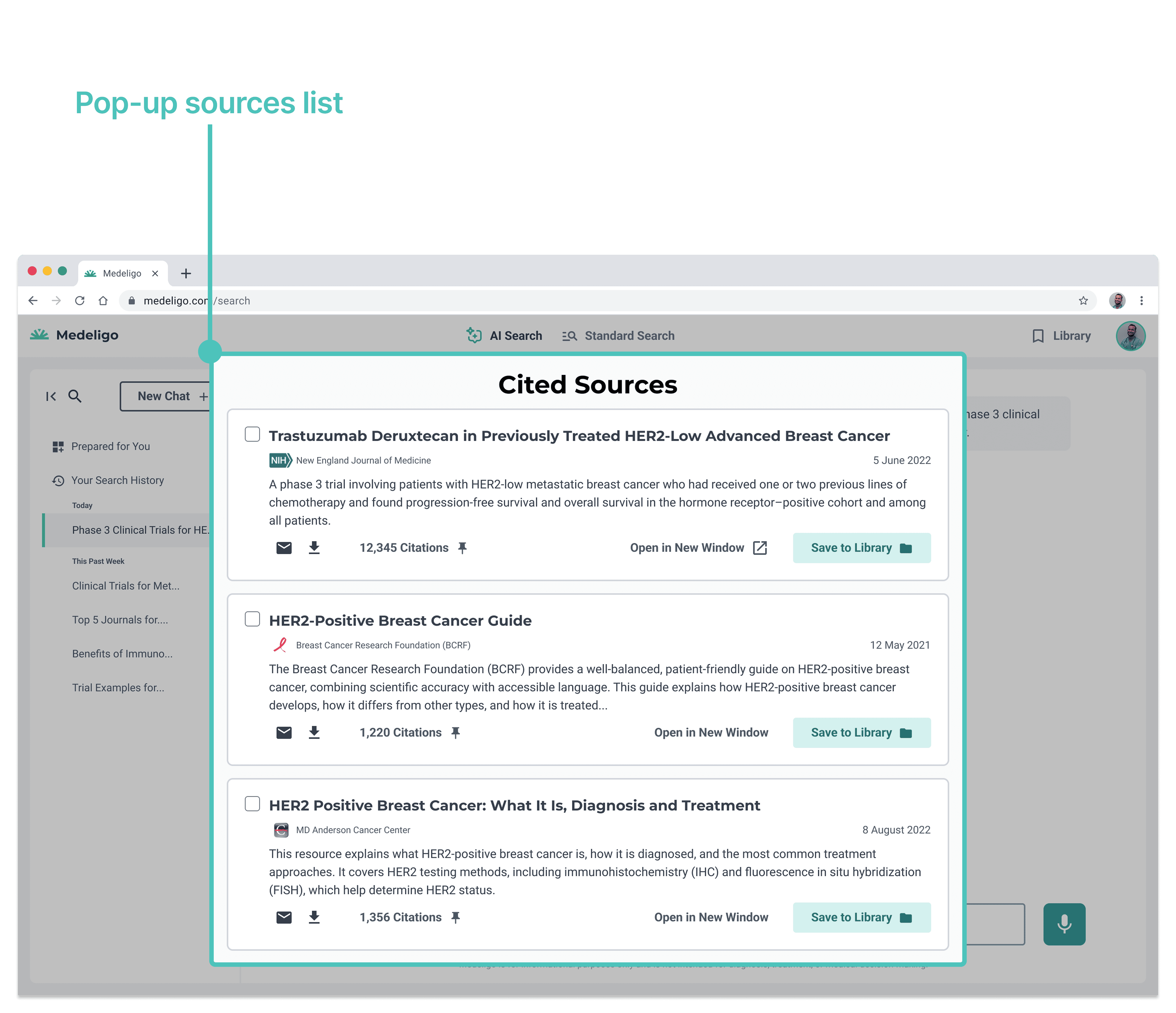
V1. Overlay Source List
Extra clicks required to open overlay list
Article text is overwhelming
No insight into type of source
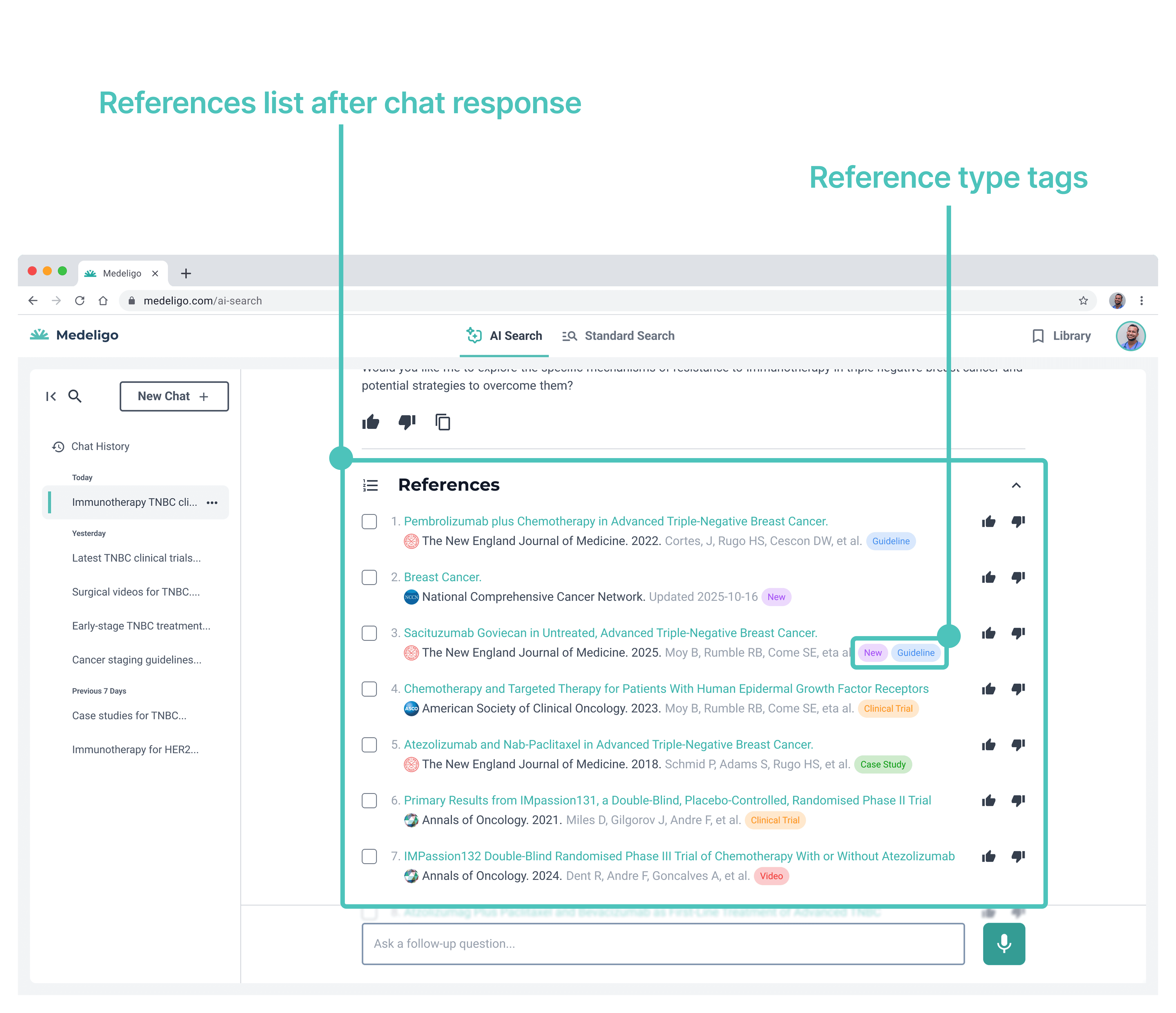
V2. References List After Chat Response
References listed after chat response
Links allow users to open article for more details
Tags categorize source types and improve scanability
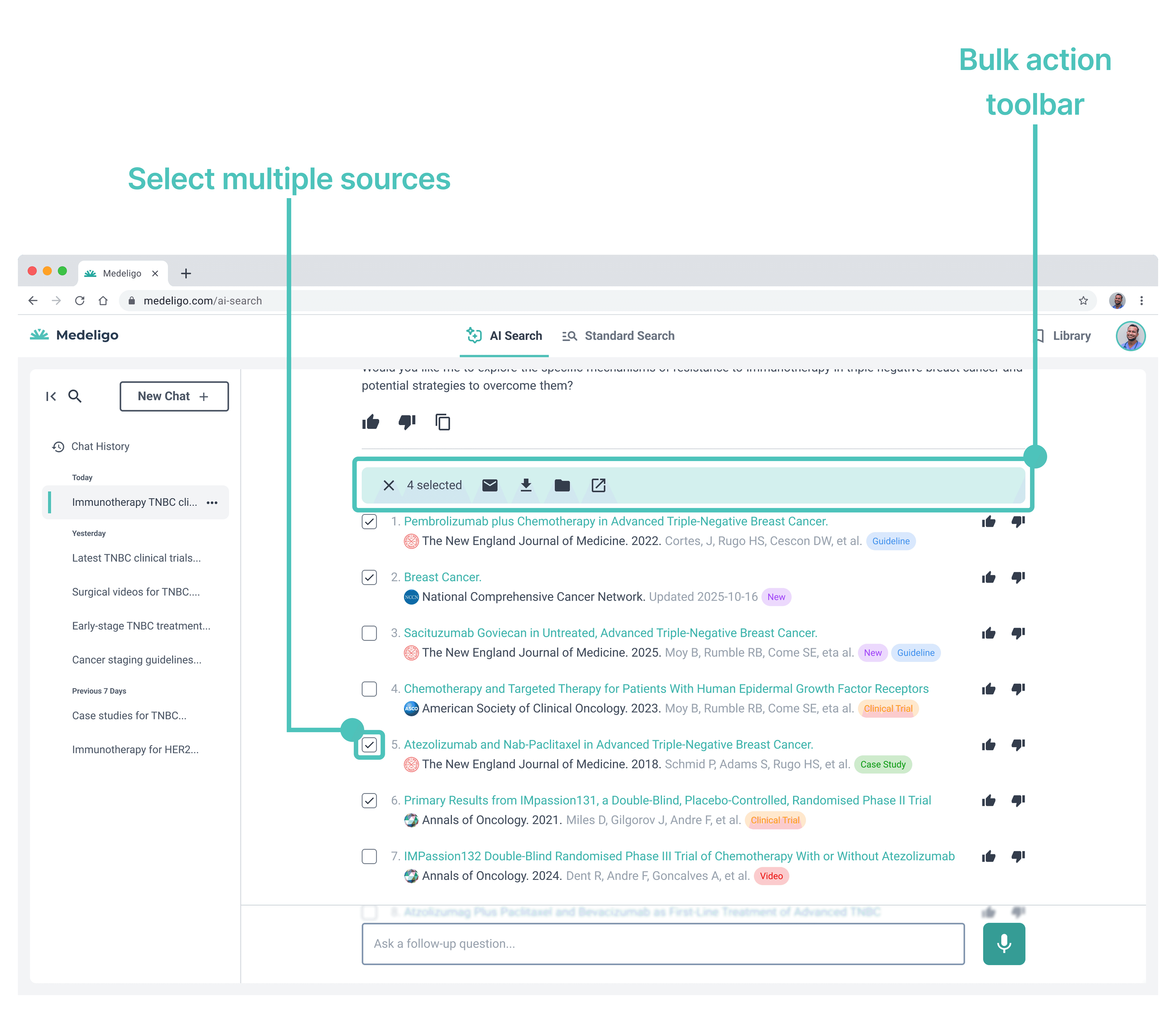
Added: Bulk Actions
Toolbar appears when sources are selected
Take actions on one or more sources
Email, download, save to library, or open in a new window
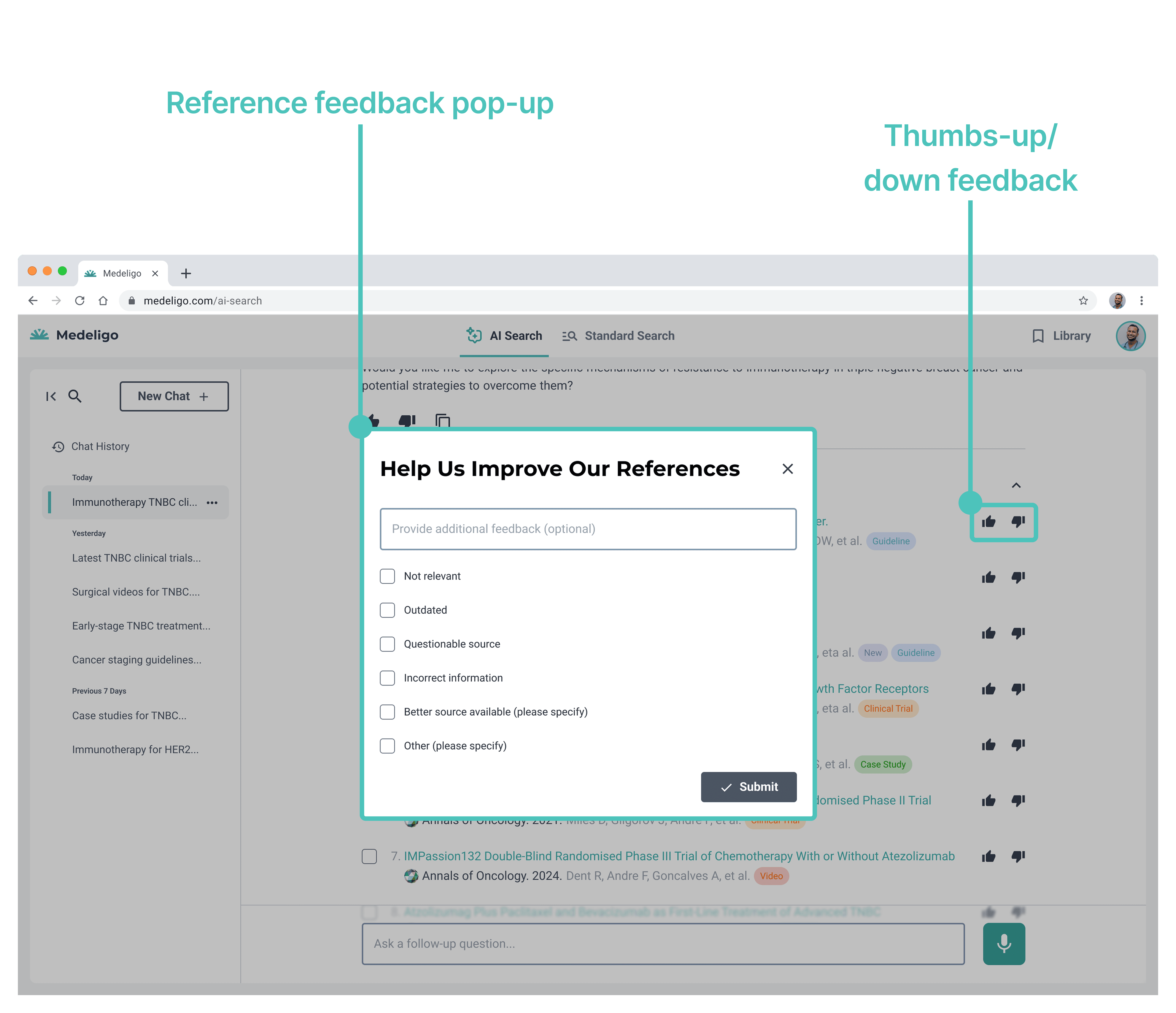
Added: Feedback
Thumbs up or down specific sources
User provides feedback on sources
Feedback is used to improve Medeligo platform
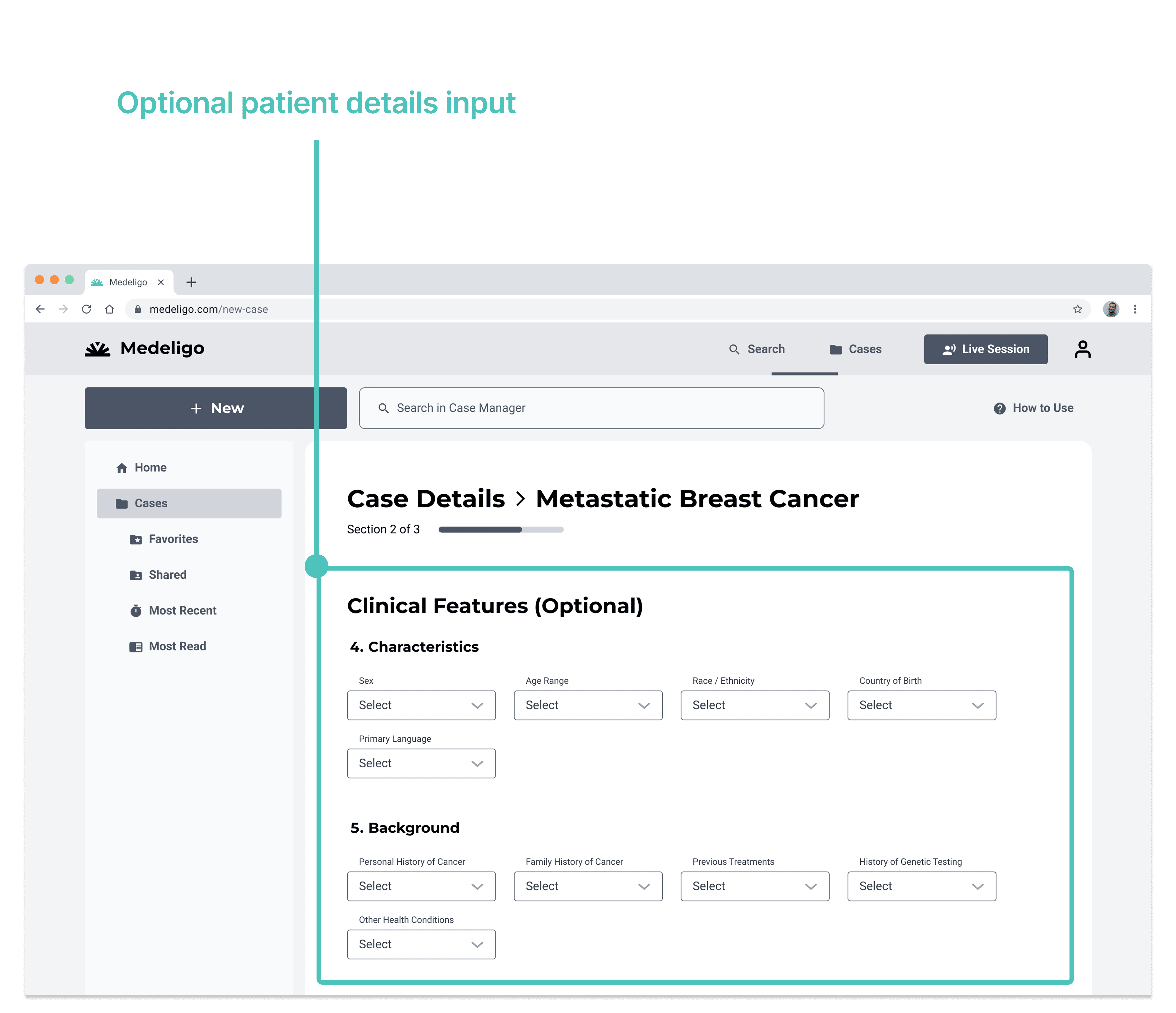
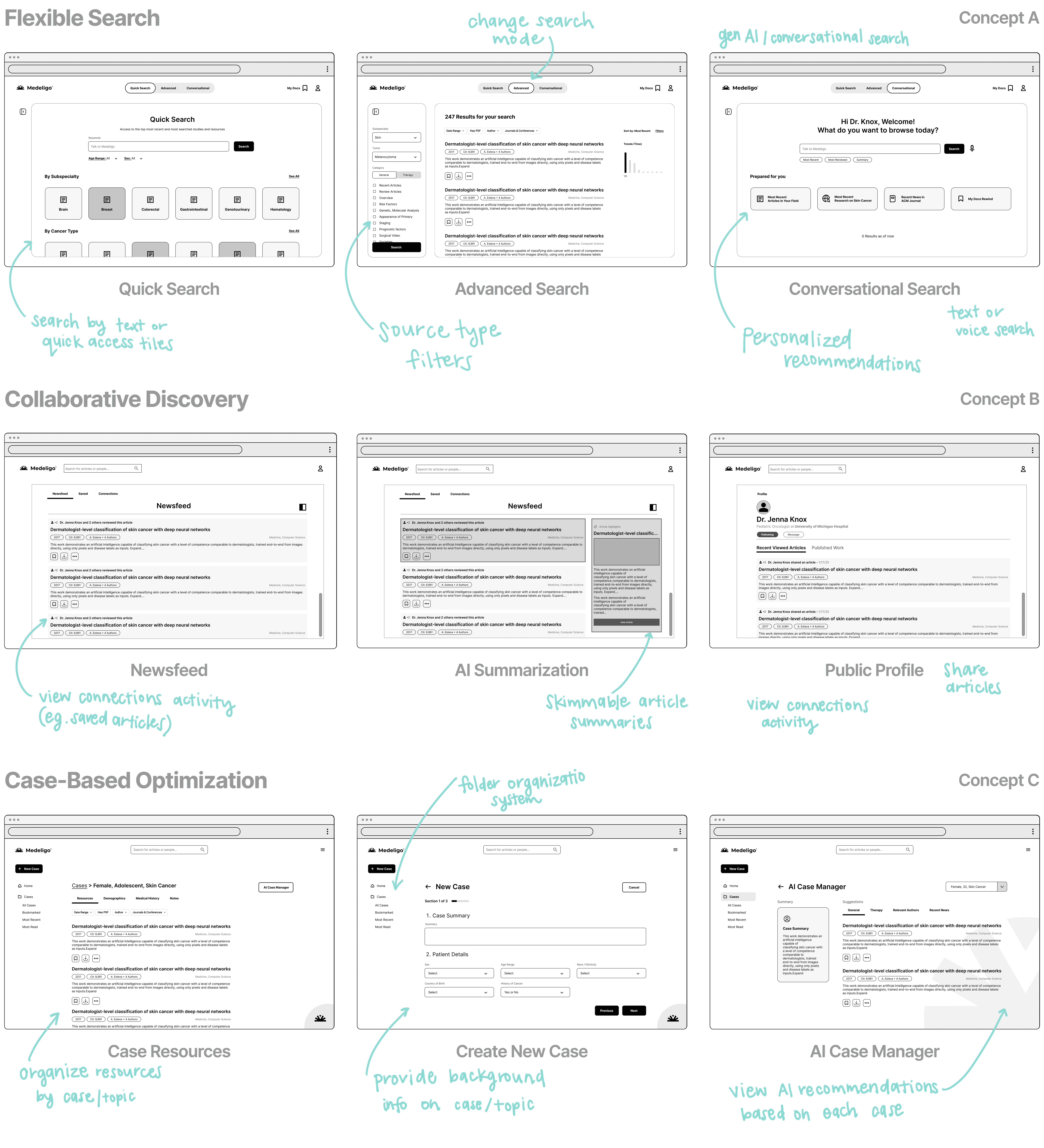
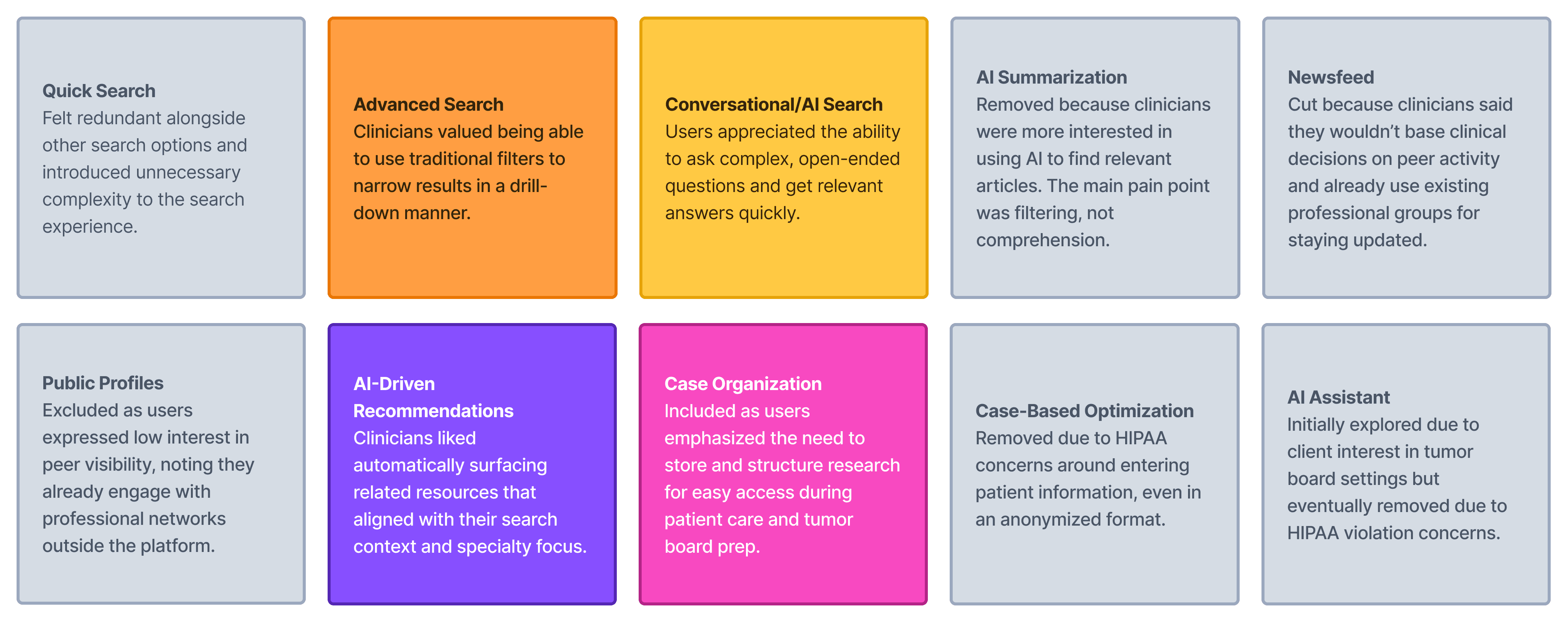
V1. Case-Based Optimization
Tailored recommendations based on specific patient details
Requires HIPAA compliance
Less flexible for general research or prep
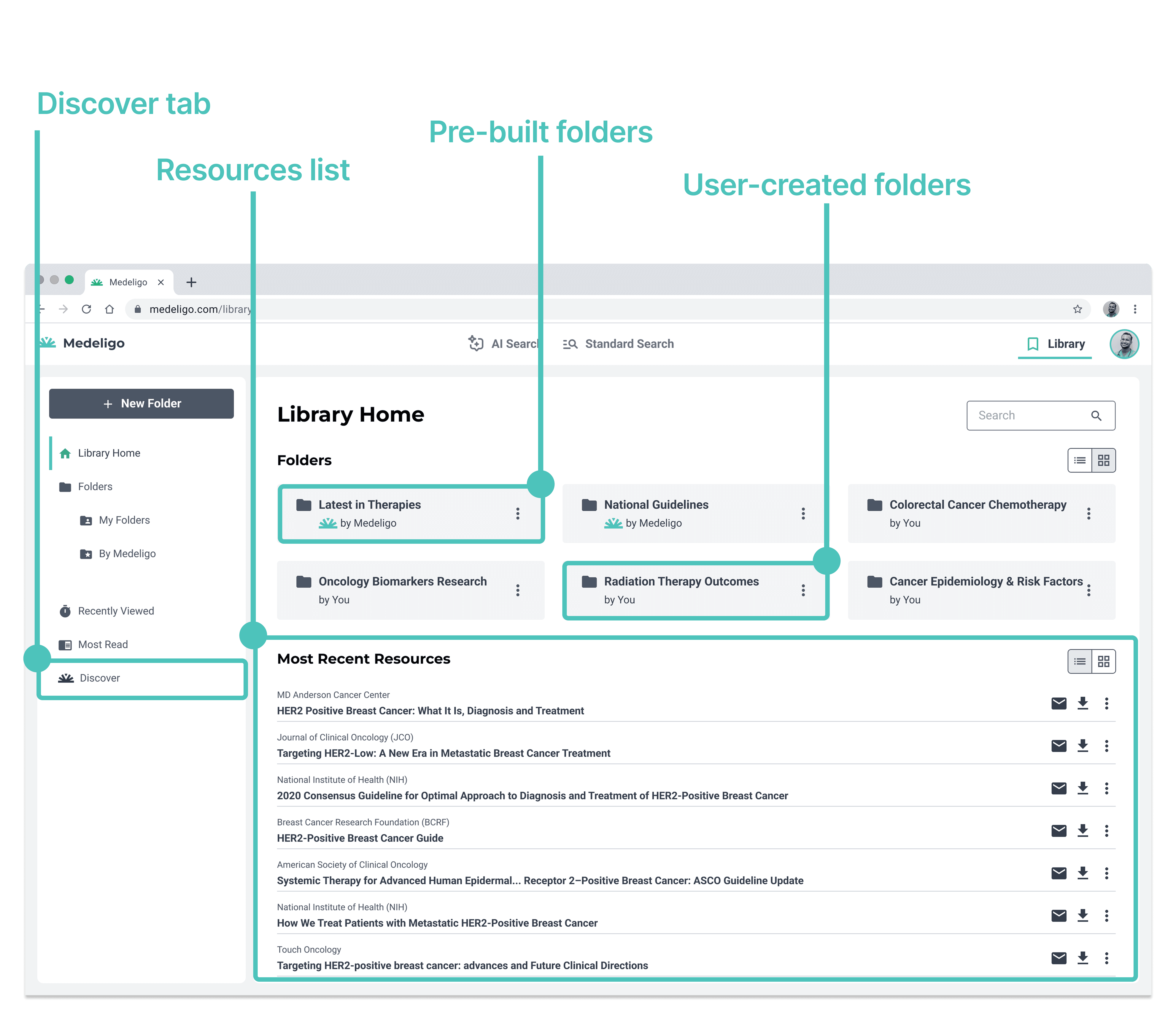
V2. Library Folder Organization
Simple folder system to organize and retrieve articles
Personalized article recommendations
Doesn't require HIPAA compliance
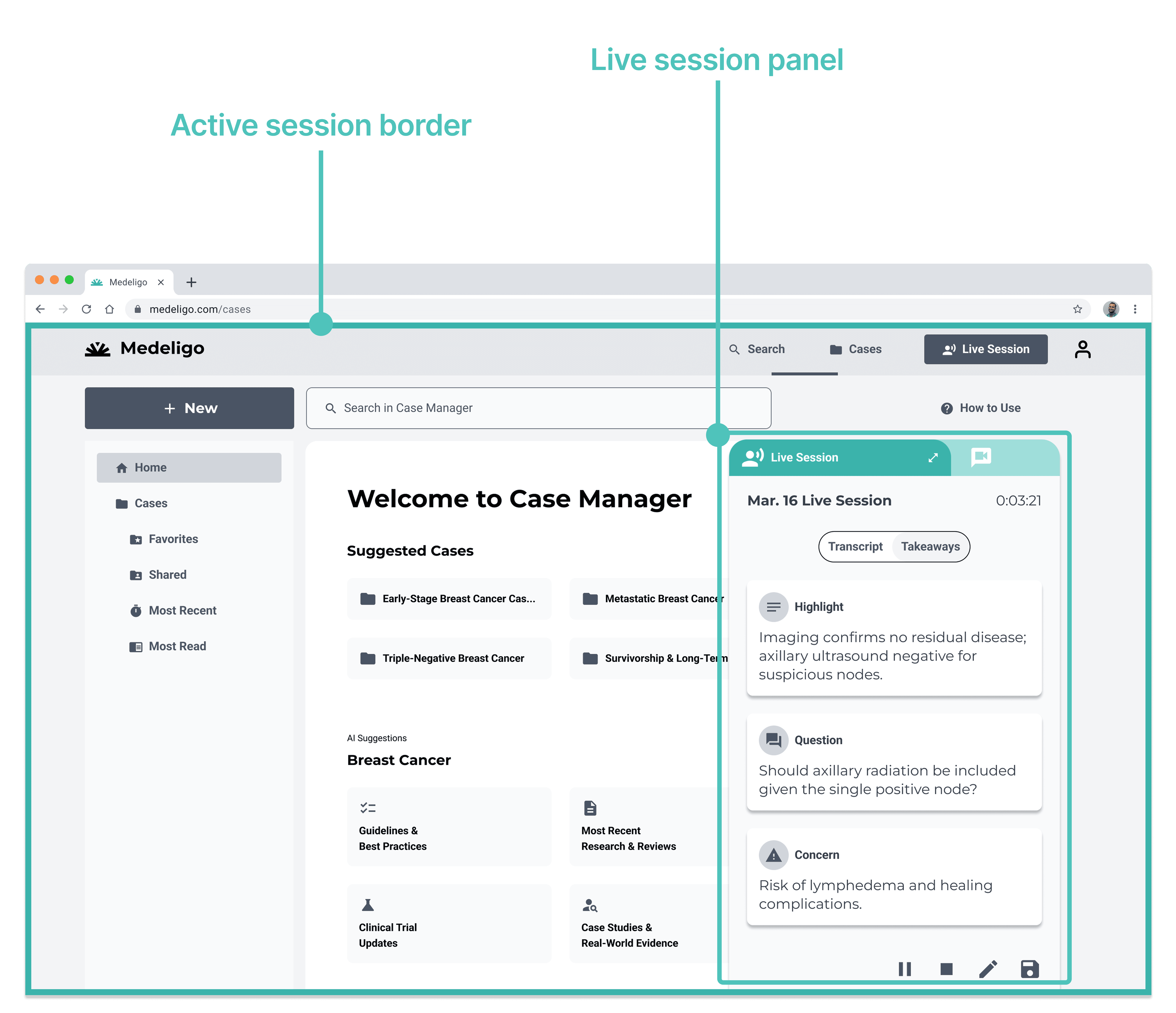
Excluded: AI Assistant
Organize information based on patient case
Requires HIPAA compliance
Significant risk of patient data storage
Prioritized: Responsive Design
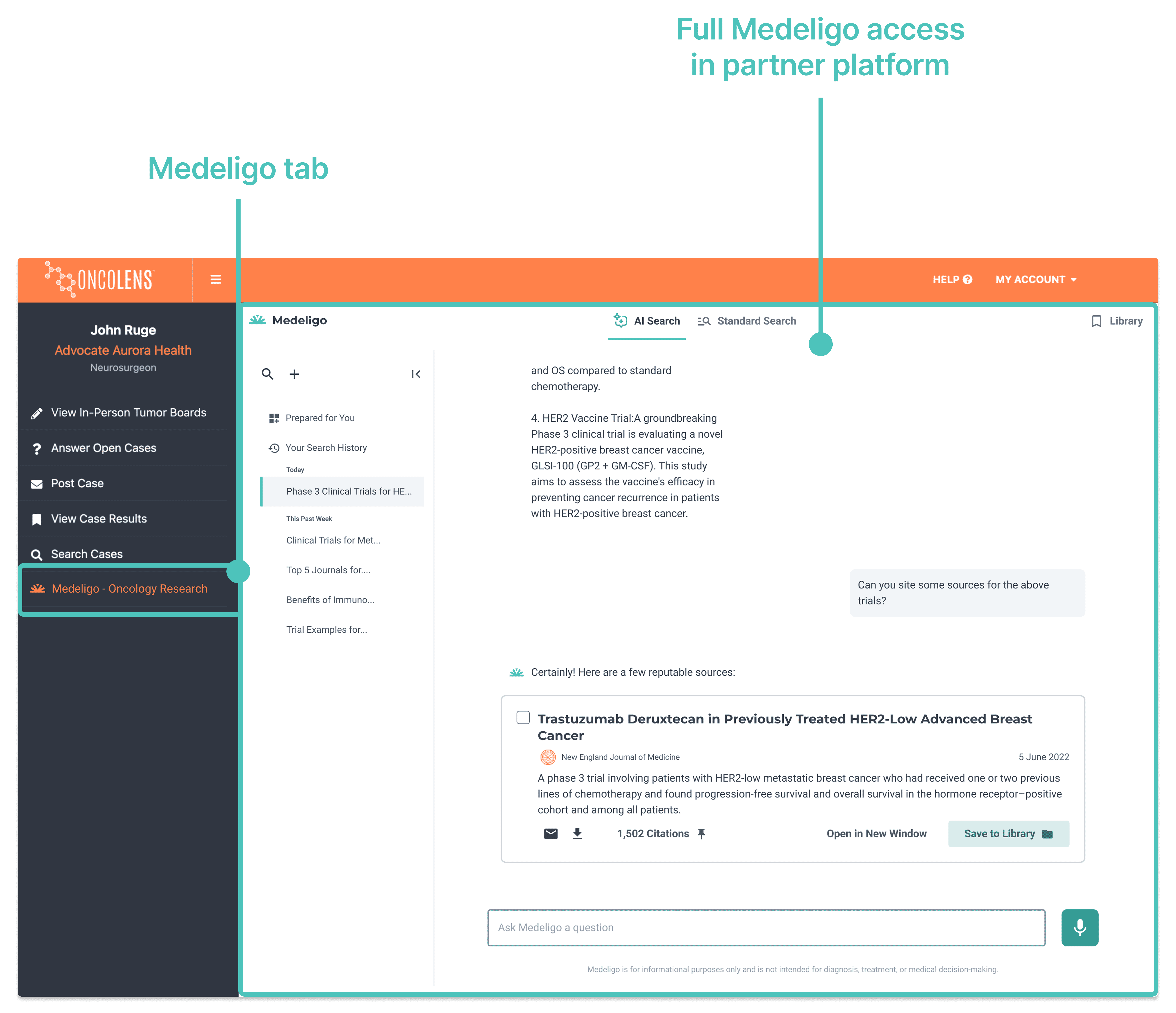
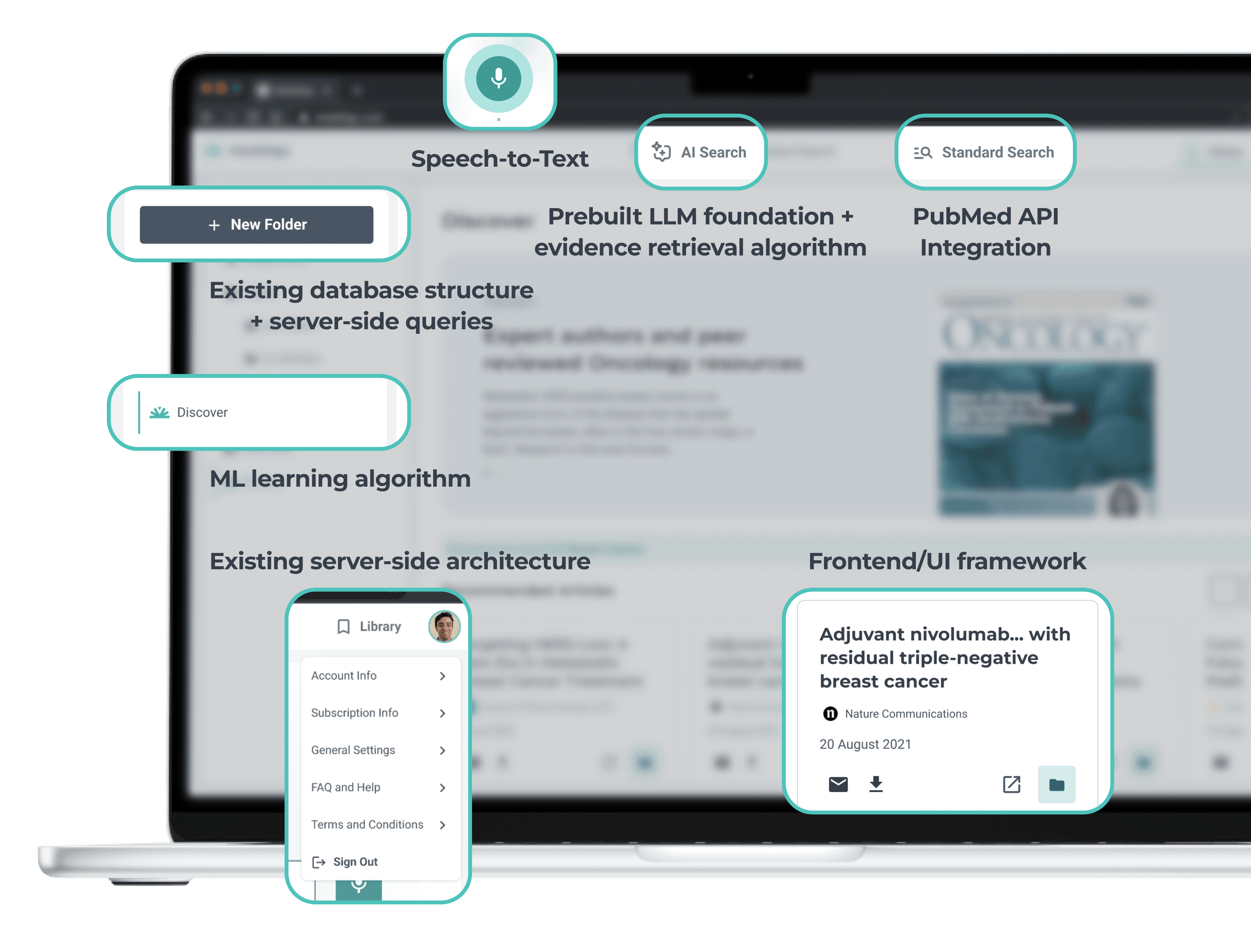
Flexible UI design adapts to partner platform constraints
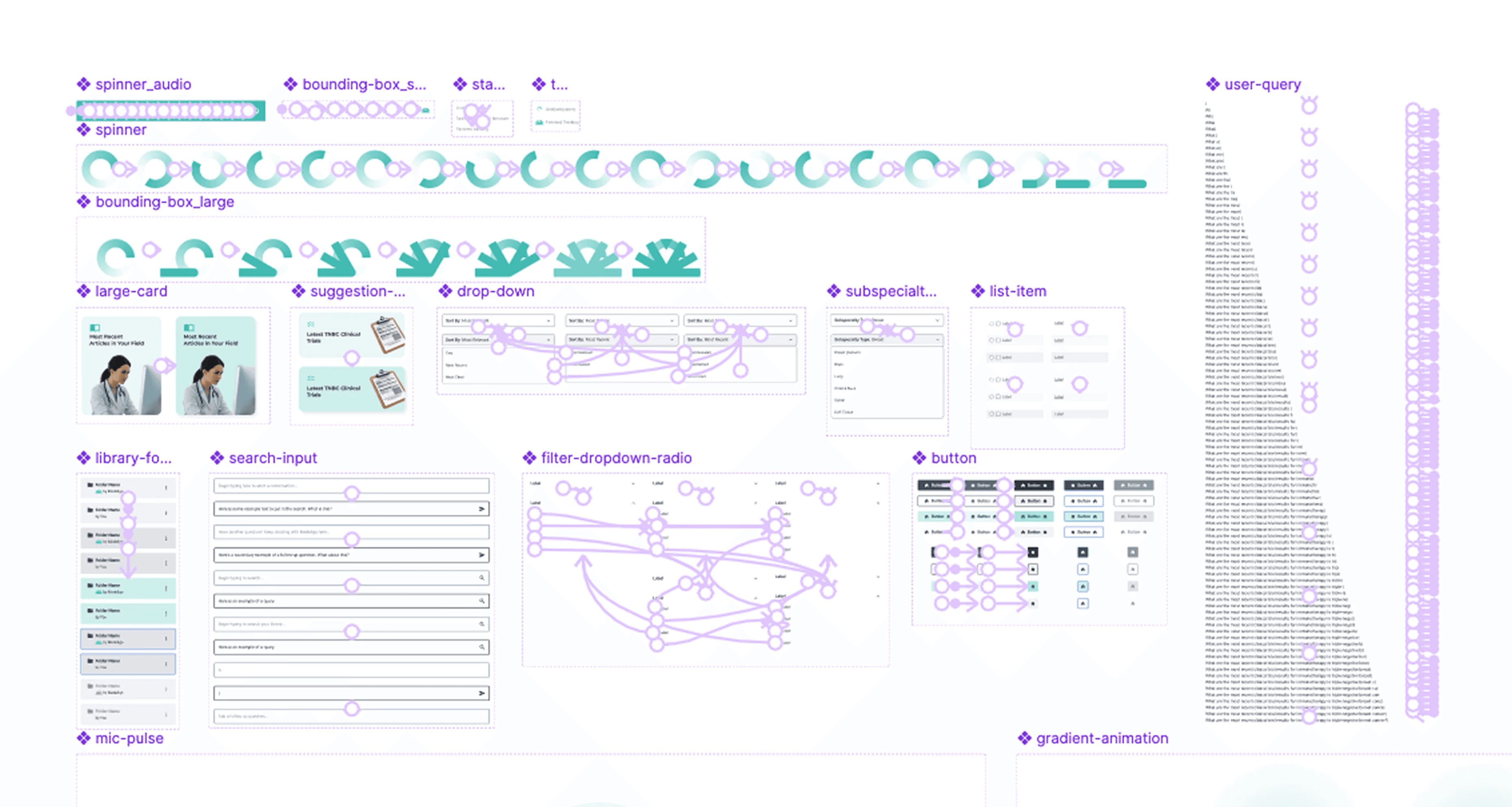
Modular components make integration seamless across different environments
Scalable interaction models work for embedded use or full screen views


Thank You
Recognizing the people who shaped this work.
This project pushed me to design in a complex and unfamiliar domain, helping me grow both my skills and perspective as a designer. I’d like to extend a sincere thank you to Dr. John Ruge, Don Bauman, and the Medeligo team for their guidance, feedback, and support throughout the project. A huge thank you to my teammates, Frank and Pedro, whose creativity, dedication, and collaboration made this project both a rewarding and fun experience!